iCreateOFX Basic
Convert bank and creditcard QFX, QBO, QIF and CSV files to OFX.
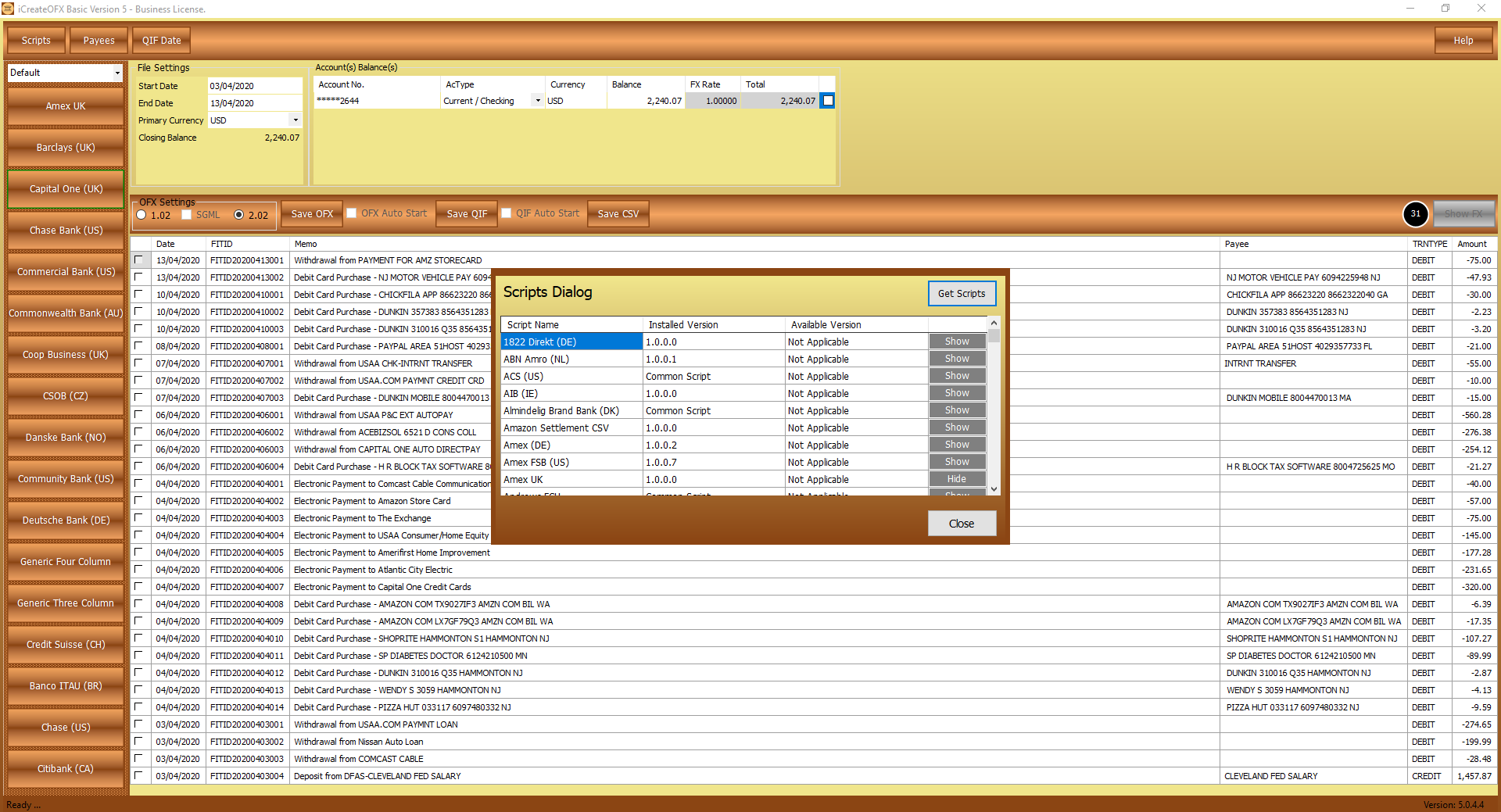
The app is regularly updated and new scripts are added frequently. The addition of scripts for new bank and credit card CSV files is simple wth quick turn-arounds for sample files which should be sent to: support[@]icreateofx.com
Key features.
-
Convert CSV to OFX and Convert QIF to OFX - OFX Writer: Converting Current (Checking), Savings and Credit Card transactions' files from CSV & QIF formats to OFX for
uploading to your favorite Personal Finance Manager (PFM) software. (OFX Writer)
- CSV Files: The program comes with a Generic Script / Common CSV which can be used to load CSV and Excel files in a multitude of layouts. If your bank's CSV file layout is neither included in the pre-configured scripts nor the down-loadable bank scripts, AND the file layout does not fit the generic scripts, you can either follow the guide to edit your file headers as per the guide or Submit your bank file header as an attachment to have it supported (please include both credit and debit sample transactions).
- QIF Files: The QIF files' script supports bank and creditcard transactions (including extended tags).
- IIF Files: As with the QIF files, the IIF files' script supports bank and credit card IIF files.
- See list of currently supported files.
- PayPal OFX: Convert PayPal QIF, CSV and IIF transactions' files to OFX.
- Sage OFX: Writing OFX files to import into Sage
- PayPal API OFX Writer: Download your transactions from PayPal direct from the program to convert to OFX or QIF without needing to log onto either. The API access scripts are available to try out during the 30 day trial period, after which ONLY Business License holders will be able to utilize them. For settings required for these scripts, see API Script Help.
- Nationwide OFX: Convert the new Nationwide BS (UK) CSV files to OFX. You can also repair the OFX files or convert them to QIF.
- OFX Reader (Convert QFX, QBO and OFX to QIF and CSV): The OFX Reader functionality allows you to view your banking and credit-card OFX, QFX and QBO files in a grid (table) and Convert OFX statements to CSV (Excel). The data will appear in the grid from where you can save it to CSV. Alternately, if the OFX file supplied by your banker is not compatible with your PFM, you can rewrite the file to OFX using iCreateOFX Basic.
- QIF Reader (Convert QIF to OFX and CSV / OFX Writer): The QIF reader functionality allows you to view your QIF banking and credit-card files in a grid (table) and Convert QIF files to CSV (Excel), or convert QIF to OFX.
-
OFX Writer: Convert CSV to OFX, Convert IIF to OFX and Convert QIF to OFX (CSV, IIF and QIF reader)
- Convert CSV to OFX using the multiple bank and credit card scripts or the Generic Script.
- Convert IIF to OFX using the included bank and credit card transactions' IIF reader script.
- Convert QIF to OFX using the included bank and credit card QIF reader script.
Other features.
- Improved Generic Script with v4 backwards compatibility.
- Support for multiple accounts.
- Support for multiple currencies.
- Dedicated bank / creditcard CSV file scripts.
- Support for auto loading / reading of OFX, QFX, QIF and QBO files.
- Support for inclusion of Payees in both QIF and OFX file conversions.
- Improved PayPal API script
- Better support for reading OFX files (and variants e.g QFX and QBO)
- Improved QIF reading and writing scripts.
All products include a fully functional 30-day trial period with full support included; personal and business licenses are available starting at Price: £9.99
List of scripts available for
The table below lists the currently supported files. Use the Generic script if your bank or credit card is not listed, and be sure to read the the layout expected by the script. To get a script written for your bank credit card, send a sample file inclusing as many transaction types as possible to: support[@]icreateofx[.]com